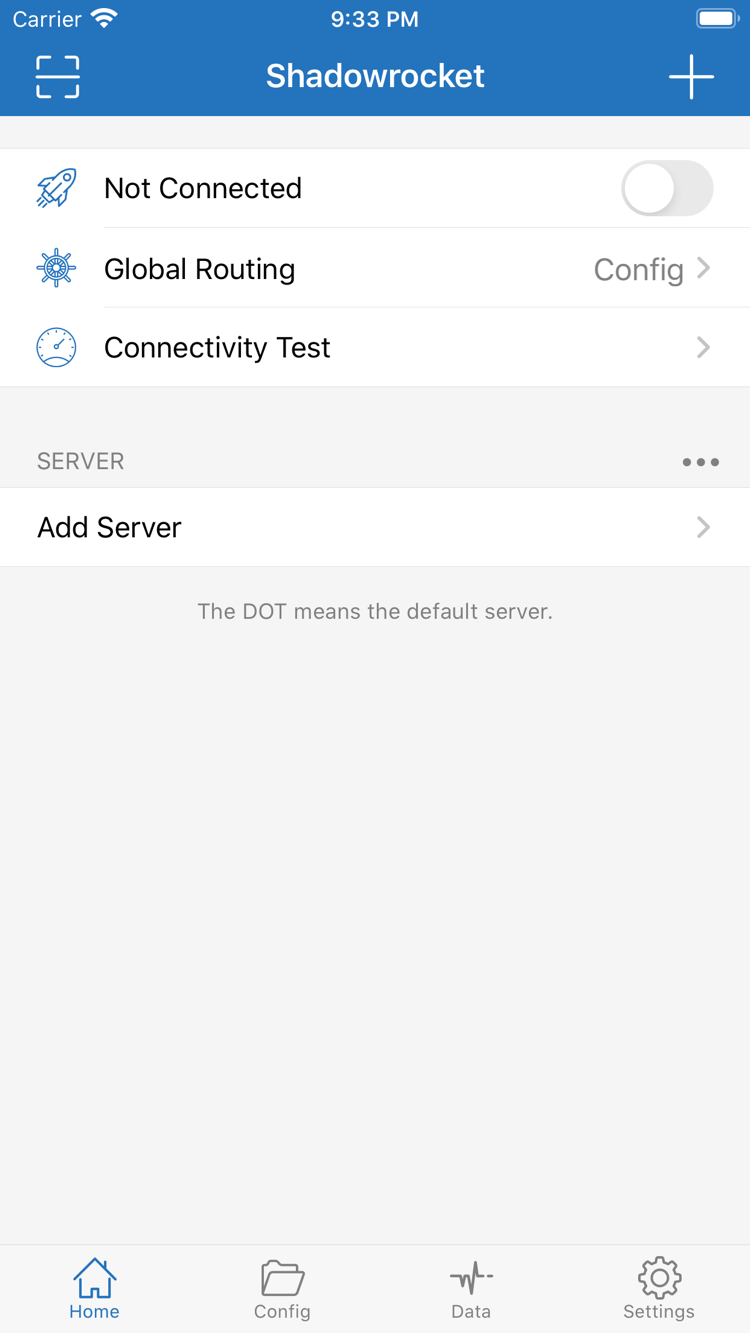
Rule-Based Routing and Global Routing
When Global Routing is set to Config, requests are matched against the active configuration’s rules in order. Typically, the first matching rule determines where a request goes. Use DOMAIN-SUFFIX to match domain suffixes, IP-CIDR to match IP ranges, and put FINAL at the end as a fallback. Proxy and Direct set different overall routing modes. After making changes, confirm that the intended configuration is active and test the target request. Editing a file without selecting it won’t change how connections are routed.
[Rule]
DOMAIN-SUFFIX,example.com,PROXY
IP-CIDR,192.168.0.0/16,DIRECT
FINAL,PROXY
- Global Routing
- Config
- Proxy
- Direct
On Demand Connections
On Demand triggers system connection behavior under specified conditions. Look for the relevant option in Settings. First establish a working connection manually, then adjust the conditions for your network and retest after switching networks or locking the screen. On Demand controls when to connect; it doesn’t authenticate with a server or fix an expired subscription. The rule examples below determine where requests go after connecting, a separate function from On Demand triggers. Check each separately when troubleshooting.
[Rule]
IP-CIDR,192.168.0.0/16,DIRECT
FINAL,PROXY
Multiple Protocols and Add Server
Shadowrocket supports protocols including Shadowsocks, VMess, VLESS, Trojan, HTTP, SOCKS5, WireGuard, and Hysteria2. To add a server manually, choose a Type in Add Server, then enter the address, port, and authentication details from your existing server information. Fields differ by protocol and aren’t interchangeable. If a connection fails, check the protocol type and required fields before changing routing rules. PROXY below indicates a routing policy, not a protocol.
[Rule]
DOMAIN,example.com,PROXY
FINAL,DIRECT
Import and Update Existing Subscriptions
Get subscription links from your service provider. Before importing, check whether the link contains a server list or a complete configuration, then use the appropriate option. Subscribe in Config is for configuration subscriptions; when adding a server subscription, check the Type. After updating, confirm that entries appear, check whether their names have changed, and verify that the selected server still works. Subscription links may contain credentials, so don’t share them publicly. The snippet below illustrates rule syntax; it is not a field for entering a subscription link.
[Rule]
DOMAIN-SUFFIX,example.com,PROXY
FINAL,PROXY
- Subscribe
- Add Server
- Scan QR Code
Configuration Files and iCloud Sync
Use Config to manage files needed for connections, and keep a recoverable copy before editing. General, Rule, Host, and URL Rewrite sections serve different purposes; add each rule to the appropriate section. If you use iCloud sync, check the account and sync status on this device, then verify the target file’s contents. Syncing a file and selecting it as the active configuration are separate actions. After a remote configuration update, check your custom rules rather than assuming local edits were retained.
[Rule]
DOMAIN-SUFFIX,example.com,DIRECT
FINAL,PROXY
Connectivity Test and Diagnostics
Connectivity Test helps check whether a server is reachable, but results depend on the test method, network conditions, and the target’s response. First verify the server settings, then compare results on the same network. A test response doesn’t mean every website will be accessible. Diagnostics in Settings can help identify issues, while Data can show traffic changes; increased traffic alone doesn’t prove that routing is correct. The rules below illustrate policies for specific domains, but verification still requires checking actual request logs.
[Rule]
DOMAIN,example.com,PROXY
FINAL,DIRECT
- Connectivity Test
- Diagnostics
- Data